CI/CD Pipeline Tutorial for Beginners – Complete Guide 2026
Quick Answer
A CI/CD pipeline automates build, test and deploy using tools like Jenkins, GitHub Actions and GitLab CI. Nexson IT Academy in Hyderabad trains beginners to design and run production CI/CD pipelines on AWS, Azure and GCP with Docker, Kubernetes and Terraform — with live projects and 100% Placement Assistance.
Key Takeaways
CI/CD = automated build + test + deploy on every commit.
Jenkins, GitHub Actions and GitLab CI are the top-3 tools in 2026.
Nexson IT Academy trains beginners to production-ready pipelines.
Live projects on AWS/Azure/GCP and 100% Placement Assistance included.
Continuous Integration and Continuous Delivery (CI/CD) is the backbone of modern software development. If you are learning DevOps, understanding CI/CD pipelines is the single most important skill you can develop. CI/CD enables teams to release software faster, with fewer bugs, and with greater confidence.
In 2026, every company — from early-stage startups in Hyderabad's booming tech ecosystem to Fortune 500 enterprises — uses some form of CI/CD. Organizations with mature pipelines deploy 200x more frequently than those relying on manual processes. For DevOps engineers in India, CI/CD proficiency is not optional — it is the baseline expectation.
This beginner-friendly tutorial will take you from zero to building your first automated pipeline. We cover the fundamentals, walk through practical setups with both GitHub Actions and Jenkins, discuss best practices, and share the mistakes you should avoid. At Nexson IT Academy Hyderabad, our DevOps Training Program includes extensive hands-on CI/CD lab work using real-world scenarios.
Why CI/CD Matters — Key Statistics
- Teams with CI/CD deploy 200x more frequently than those without
- 3x fewer change failures compared to manual deployment
- 24x faster recovery from production incidents
- 95%+ of DevOps job postings require CI/CD experience
What is CI/CD? Understanding the Fundamentals
CI/CD stands for Continuous Integration and Continuous Delivery (or Continuous Deployment). These are distinct but complementary practices that together automate the software delivery process.
Continuous Integration (CI) is the practice of automatically building and testing code every time a developer pushes changes to a shared repository. The goal is to catch bugs early, ensure code quality, and maintain a working codebase at all times. When a developer commits code, the CI system automatically compiles the application, runs unit tests, performs code analysis, and reports the results — all within minutes.
Continuous Delivery (CD) extends CI by automatically deploying tested code to staging or production environments. The goal is to make software releases predictable, low-risk, and routine rather than stressful, manual events. With CD, your application is always in a deployable state.
Continuous Deployment goes one step further — every change that passes all automated tests is automatically deployed to production without manual intervention. This requires a very high level of test confidence and is common at companies like Netflix, Amazon, and Google.
Most companies in India, including those in Hyderabad, practice Continuous Delivery rather than full Continuous Deployment, as they prefer a manual approval step before production releases.
Why CI/CD is Essential for Your Career
Understanding CI/CD is critical for any DevOps career in India. Here is why mastering this skill will directly impact your job prospects and salary:
- Faster releases — Deploy multiple times per day instead of monthly. Companies like Amazon deploy code every 11.6 seconds on average.
- Early bug detection — Automated tests catch issues within minutes of code commit, saving hours of manual testing and debugging.
- Reduced manual work — No more manual builds, manual deployments, or "it works on my machine" problems. Everything is automated and reproducible.
- Better collaboration — Teams integrate their work frequently, reducing merge conflicts and integration headaches.
- Higher code quality — Every change is validated automatically through unit tests, integration tests, and security scans.
- Reduced risk — Smaller, more frequent releases are easier to troubleshoot and rollback compared to large, infrequent releases.
- Career advancement — CI/CD skills are required for 95%+ of DevOps job postings in India, making them essential for career growth.
CI/CD Pipeline Stages Explained
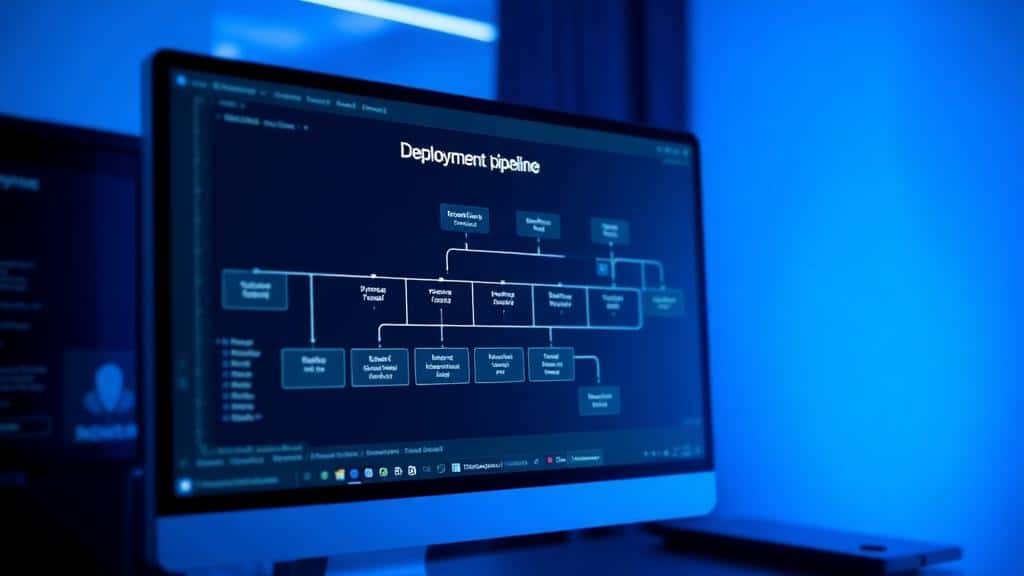
A CI/CD pipeline is a series of automated steps that take code from a developer's machine to production. Understanding each stage is fundamental to building effective pipelines:
- 1. Source Stage — Code is committed to a Git repository (GitHub, GitLab, Bitbucket). A webhook triggers the pipeline automatically.
- 2. Build Stage — The application is compiled, dependencies are installed, and build artifacts are created. For Docker-based projects, this includes building the container image.
- 3. Test Stage — Automated tests run: unit tests, integration tests, security scans (SAST/DAST), and code quality checks. If any test fails, the pipeline stops.
- 4. Staging Stage — The application is deployed to a staging (pre-production) environment for validation. This environment mirrors production as closely as possible.
- 5. Approval Stage — (Optional) A manual approval step before production deployment. Common in enterprise environments in India.
- 6. Production Stage — The application is deployed to the live production environment. Advanced strategies like blue-green or canary deployments minimize risk.
Building Your First Pipeline with GitHub Actions
GitHub Actions is the easiest way to start with CI/CD. It is free for public repositories and has generous free-tier limits for private repos. Since most developers already use GitHub, there is no additional setup required — you just add a YAML file to your repository.
Here is a step-by-step guide to creating your first CI/CD pipeline with GitHub Actions for a Node.js application:
- Step 1: Create a
.github/workflows/ci.ymlfile in your repository. This file defines your pipeline. - Step 2: Define triggers — specify when the pipeline runs (e.g., on push to the main branch, on pull requests).
- Step 3: Set up the build environment — specify the operating system (Ubuntu) and Node.js version.
- Step 4: Install dependencies — run
npm installto install all project dependencies. - Step 5: Run tests — execute
npm testto run your test suite. - Step 6: Build the application — run
npm run buildto create production artifacts. - Step 7: Deploy — push the built application to your hosting platform (AWS S3, Vercel, or a Docker registry).
This workflow will automatically run every time you push code to the main branch, ensuring your application builds and tests pass before deployment. You can monitor the pipeline status directly in the GitHub repository under the "Actions" tab.
Building a Pipeline with Jenkins
Jenkins is the most widely used CI/CD tool in enterprise environments worldwide. It is open-source, highly customizable with 1800+ plugins, and has a massive community. Companies in Hyderabad — particularly IT services firms like TCS, Infosys, Wipro, and HCL — extensively use Jenkins.
Here is how to set up a basic Jenkins CI/CD pipeline:
- Step 1: Install Jenkins — The fastest way is using Docker:
docker run -p 8080:8080 jenkins/jenkins:lts. This gives you a running Jenkins instance in minutes. - Step 2: Create a Jenkinsfile — Define your pipeline stages in a Jenkinsfile stored in your repository. Use declarative pipeline syntax for clarity.
- Step 3: Configure source code — Connect your Git repository to Jenkins. Set up webhooks to trigger builds automatically on code push.
- Step 4: Add build steps — Define stages for compile, test, and package. Use Jenkins pipeline stages to organize the workflow.
- Step 5: Add deployment steps — Deploy to your target environment using SSH, Docker, Kubernetes, or cloud-specific plugins.
- Step 6: Set up notifications — Configure Slack or email notifications for build successes and failures.
Jenkins gives you complete control over your pipeline and is highly customizable. However, it requires more setup and maintenance compared to cloud-native tools like GitHub Actions.
CI/CD Best Practices Every Engineer Must Follow
Building a pipeline is just the beginning. Following best practices ensures your pipelines are fast, reliable, and maintainable:
- Keep pipelines fast — Aim for under 10 minutes total. Developers lose focus if builds take too long. Amazon targets under 5 minutes for most pipelines.
- Fail fast — Run the fastest tests first (linting, unit tests) before slower tests (integration, E2E). This gives developers immediate feedback.
- Use caching — Cache dependencies (npm, pip, Maven) between builds to avoid re-downloading every time. This can reduce build times by 50-70%.
- Parallelize tests — Run test suites concurrently rather than sequentially. Split large test suites across multiple runners.
- Version your pipeline — Store pipeline configuration (Jenkinsfile, workflow YAML) in version control alongside your application code.
- Monitor pipeline metrics — Track build times, failure rates, and deployment frequency. Use dashboards to identify bottlenecks.
- Secure your pipeline — Never hardcode secrets in pipeline files. Use secret management tools (Vault, GitHub Secrets, Jenkins Credentials).
- Implement rollback strategies — Always have a plan to quickly rollback a failed deployment. Blue-green and canary deployments minimize risk.
Common CI/CD Mistakes to Avoid
As a beginner, being aware of these common pitfalls will save you significant time and frustration:
- Skipping tests to make builds faster — This defeats the entire purpose of CI. Invest in fast, reliable tests instead of removing them.
- Not using environment-specific configurations — Dev, staging, and production should have separate configurations. Never use production credentials in development.
- Manual steps in an automated pipeline — Every manual step is a bottleneck and potential source of human error. Automate everything possible.
- Ignoring failed builds — The "it works on my machine" mentality. Failed builds should be fixed immediately, not ignored.
- Not implementing rollback strategies — Deployments will fail. Having a quick rollback mechanism is essential for production stability.
- Storing secrets in pipeline files — Never commit API keys, passwords, or tokens to Git. Use secret management tools.
- Over-complex pipelines — Start simple and add complexity as needed. A working simple pipeline is better than a broken complex one.
Popular CI/CD Tools Comparison
Choosing the right CI/CD tool depends on your project, team size, and existing infrastructure. Here is a detailed comparison of the most popular tools used in India:
| Tool | Best For | Pricing | Learning Curve | Popularity in India |
|---|---|---|---|---|
| GitHub Actions | GitHub-based projects | Free tier available | Easy | High (startups) |
| Jenkins | Enterprise, customization | Free (open-source) | Moderate | Very High (MNCs) |
| GitLab CI/CD | GitLab users, all-in-one | Free tier available | Easy | Growing |
| CircleCI | Fast builds, Docker | Free tier available | Easy | Moderate |
| Azure DevOps | Microsoft ecosystem | Free for 5 users | Moderate | High (enterprise) |
| ArgoCD | Kubernetes GitOps | Free (open-source) | Moderate | Growing fast |
Advanced CI/CD Concepts
Once you have mastered basic CI/CD, these advanced concepts will take your skills to the next level:
Blue-Green Deployment — Maintain two identical production environments (blue and green). Deploy new code to the inactive environment, test it, then switch traffic. This enables zero-downtime deployments and instant rollback.
Canary Deployment — Gradually roll out changes to a small percentage of users (1-5%) before deploying to the entire user base. This catches production issues with minimal impact.
GitOps — An approach where Git is the single source of truth for both application code and infrastructure. Tools like ArgoCD automatically sync your Kubernetes cluster state with your Git repository. GitOps is rapidly gaining adoption in India.
Pipeline as Code — Define your entire CI/CD pipeline in version-controlled configuration files (Jenkinsfile, GitHub Actions YAML). This ensures pipelines are reproducible, auditable, and peer-reviewed.
Learn CI/CD Hands-On at Nexson IT Academy, Hyderabad
Our DevOps Training Program includes extensive hands-on CI/CD training using Jenkins, GitHub Actions, and ArgoCD. You will build real-world pipelines with Docker, Kubernetes, and cloud deployments that become part of your professional portfolio.
Located in Ameerpet, Hyderabad, Nexson IT Academy is rated among the top DevOps training institutes with industry-experienced trainers, real AWS labs, and 100% placement assistance. Our alumni are placed at Amazon, TCS, Infosys, Accenture, and many leading startups.
What You Will Build in Our CI/CD Labs:
- End-to-end Jenkins pipeline with Docker build and deploy
- GitHub Actions workflow for containerized microservices
- GitOps deployment with ArgoCD and Kubernetes
- Blue-green and canary deployment strategies
- Security scanning integration (SonarQube, Trivy)
Frequently Asked Questions
What is the difference between CI and CD?
CI (Continuous Integration) focuses on automatically building and testing code changes every time a developer pushes to the repository. CD (Continuous Delivery/Deployment) focuses on automatically deploying those tested changes to staging or production environments. CI ensures code quality; CD ensures fast, reliable releases.
Which CI/CD tool should beginners learn first?
Start with GitHub Actions if you use GitHub — it is the easiest to set up and has excellent documentation. Then learn Jenkins for enterprise experience, as it is the most commonly used tool at companies in Hyderabad and across India.
Do I need to know coding for CI/CD?
Basic YAML knowledge is essential for writing pipeline configurations. Bash scripting helps for build steps and automation. No deep programming knowledge is required to get started, but learning Python will help for advanced automation.
How long does it take to learn CI/CD?
You can build your first basic pipeline in a single day. Becoming proficient with advanced patterns like blue-green deployments, canary releases, and GitOps takes 2-3 months of practice. Our DevOps training program accelerates this with structured labs.
What is GitOps and why is it important?
GitOps is an approach where Git is the single source of truth for infrastructure and application deployments. Tools like ArgoCD and Flux automatically sync your Kubernetes cluster state with your Git repository. GitOps is gaining rapid adoption in India and is increasingly asked about in DevOps interviews.
Is Jenkins still relevant in 2026?
Yes, Jenkins remains the most widely used CI/CD tool in enterprise environments globally. While GitHub Actions and GitLab CI/CD are gaining market share, Jenkins is still required knowledge for enterprise DevOps roles, especially at IT services companies in Hyderabad.
What is blue-green deployment?
Blue-green deployment maintains two identical production environments. The "blue" environment runs the current version, and the "green" runs the new version. After testing the green environment, traffic is switched from blue to green. If issues arise, you can instantly switch back to blue.
How do I secure my CI/CD pipeline?
Never hardcode secrets in pipeline files. Use secret management tools (GitHub Secrets, Jenkins Credentials, HashiCorp Vault). Scan code for vulnerabilities (SonarQube), scan container images (Trivy), and implement least-privilege access for pipeline service accounts.
What is the difference between Continuous Delivery and Continuous Deployment?
Continuous Delivery means code is always in a deployable state, but requires a manual approval step before production deployment. Continuous Deployment automatically deploys every change that passes all tests to production without human intervention. Most companies in India practice Continuous Delivery.
How do CI/CD pipelines integrate with Docker?
CI/CD pipelines commonly include a Docker build step that creates a container image of your application. The image is then pushed to a container registry (Docker Hub, ECR, GCR) and deployed to Kubernetes or ECS. This is the standard modern deployment pattern used at most companies.
Can I practice CI/CD for free?
Yes. GitHub Actions provides 2000 free minutes per month for private repos and unlimited minutes for public repos. Jenkins is completely free and open-source — you can run it locally using Docker. AWS Free Tier also provides resources for deployment targets.
What CI/CD questions are asked in DevOps interviews?
Common interview questions include: Explain the difference between CI and CD, describe a pipeline you have built, how do you handle secrets in pipelines, what deployment strategies do you know (blue-green, canary), and how do you handle rollbacks. Check our Top 100 DevOps Interview Questions guide.
What is the best CI/CD training in Hyderabad?
Nexson IT Academy in Ameerpet, Hyderabad, offers the most hands-on CI/CD training as part of our DevOps Training Program. Students build real pipelines using Jenkins, GitHub Actions, and ArgoCD with actual deployments to AWS and Kubernetes.
How often should a CI/CD pipeline run?
A CI pipeline should run on every code push and every pull request. CD pipelines typically run after the CI pipeline succeeds on the main branch. The goal is to provide developers with rapid feedback — ideally within 10 minutes of committing code.
What metrics should I track for CI/CD pipelines?
Key metrics include: build time (target under 10 minutes), build success rate (target above 90%), deployment frequency (how often you deploy), lead time for changes (commit to production), and mean time to recovery (MTTR) when deployments fail. These are the DORA metrics that define high-performing teams.
Related training at Nexson IT Academy
Programs matched to the topics covered in this article.
About the author
Nexson IT Academy
Editorial team at Nexson IT Academy — CEH v13, OSCP, AWS and Data Science certified trainers with 10+ years of enterprise experience.